Someone starts going to the gym in January with genuine motivation but no plan. They do the same handful of exercises every session, roughly the same weight, for roughly the same number of sets, week after week. By March the motivation is fading, and by April they’ve mostly stopped going. The frustrating part, in hindsight, is that they were showing up consistently – the effort was there. What was missing was any real structure around progression, any visibility into whether they were improving, and any feedback loop that would have caught the plateau forming before it killed the momentum entirely. This is the problem that well-designed fitness tracking apps actually solve, not the motivation problem but the information problem – and it’s exactly why so many wellness brands and gym platforms now work with a Fitness app development company to build tracking tools that go beyond counting steps and actually show users the progress they’re making.
Tracking workout progress sounds simple until you think about what it actually requires. It’s not just logging what you did today. It’s having a record of what you did last week, last month, and three months ago, and being able to compare those records in a way that makes the trajectory visible. It’s understanding when a plateau is developing before it becomes discouraging. It’s knowing whether the variation in your numbers from session to session represents noise or a real trend. And it’s connecting the workout data to recovery, sleep, and nutrition in a way that explains why some training days feel strong and others feel like everything is working against you. Good fitness apps do all of this, and the difference between an app that does it well and one that does it poorly is the difference between a tool users build habits around and one they open twice and forget about.
The Foundation: What Effective Workout Logging Actually Needs
The most basic function of a fitness app is workout logging, and even this has more depth than it first appears. A log that only records exercise name, sets, and reps is useful as far as it goes – but it misses context that turns out to matter for both analysis and motivation.
Weight used needs to track alongside volume. A user who did three sets of eight reps on bench press at 60kg six months ago and is now doing the same reps at 80kg has made significant progress – but only the app that recorded the weight knows that. Volume – total weight moved per session or per week – is one of the most meaningful measures of training progress over time, and it’s invisible without detailed historical logging.
Rest periods affect training quality in ways that bare set-and-rep logs miss. An app that logs that a user completed a set of squats at 100kg for five reps doesn’t know whether that set happened two minutes after the previous one or five minutes after, which changes what the performance actually means about the user’s capacity. Rest timer features that log actual rest periods, rather than just the intended ones, produce more accurate historical data.
Perceived exertion ratings – RPE scores that let users record how hard a set actually felt – add a subjective layer that raw numbers miss. A user who hit five reps at 100kg and rated it RPE 9 (very hard, near maximum) is in a different place than one who rated the same performance RPE 7 (challenging but comfortable). Over time, this subjective data layer helps users and coaches understand when to push and when to back off in ways that numbers alone can’t.
Visualizing Progress: Making Data Feel Like Achievement
Raw data in a log is useful for analysis but not particularly motivating. The feature that turns workout tracking into something users actually engage with emotionally is visualization – seeing progress represented in a way that makes the improvement tangible.
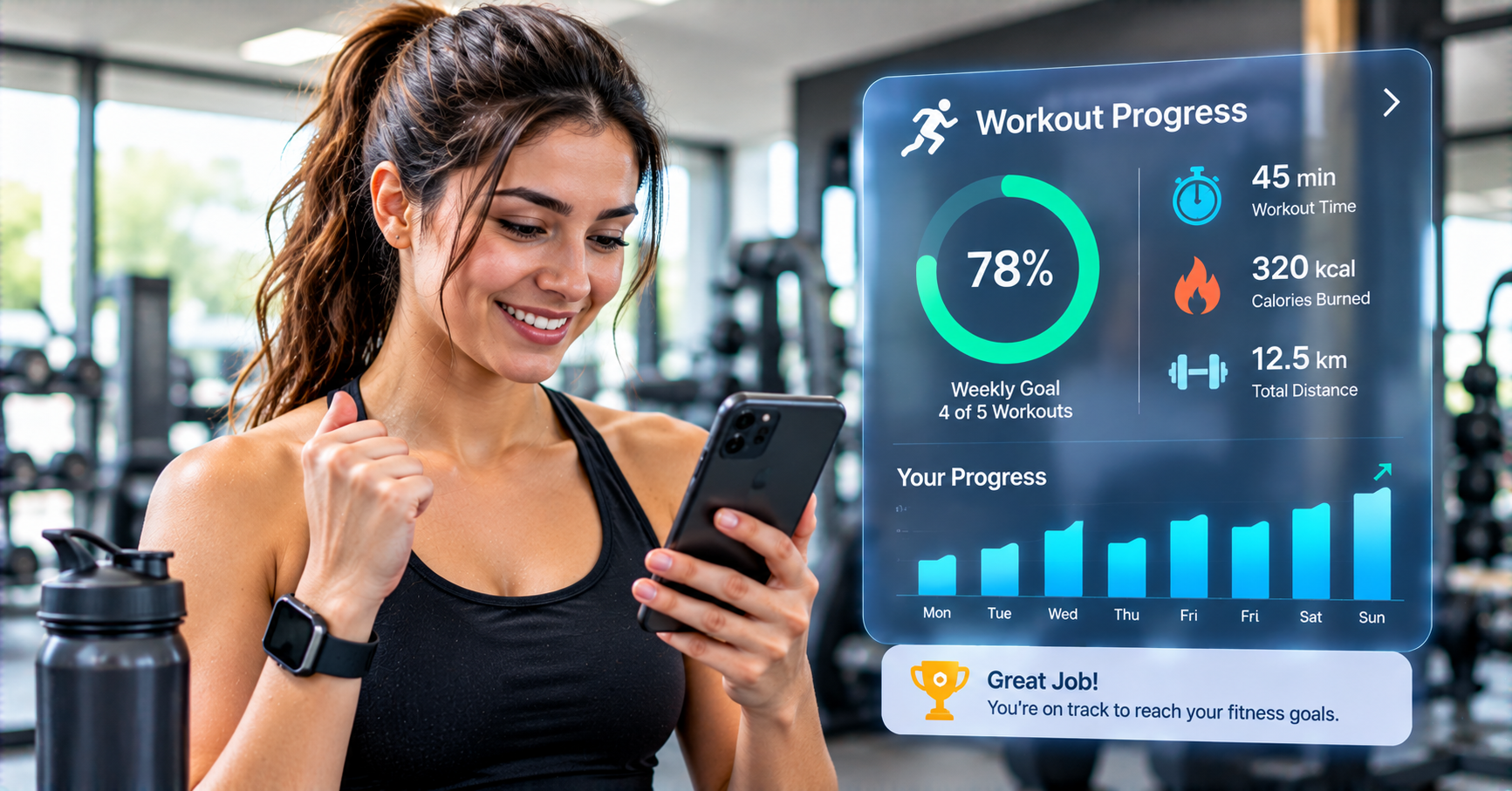
Progress graphs for individual exercises are the most direct version of this. A line chart showing bench press one-rep max estimates over six months, trending clearly upward despite the weekly noise, is genuinely satisfying in a way that scrolling through historical log entries isn’t. It gives a user a narrative about their own training that they can refer to when motivation is low – evidence that what they’re doing is working, even if today’s session didn’t feel great.
Personal record tracking adds a milestone layer to this narrative. The first time a user hits a new max weight, completes a workout distance without stopping, or achieves a benchmark time, that moment should feel like an event rather than just a data point. Apps that celebrate PRs – with a notification, a visual highlight, a place in the profile that records the milestone – turn individual achievements into a story the user is building over time.
Volume tracking over time is often underused but provides some of the most useful signal for progress. Week-over-week training volume trends show whether a user is progressively overloading over time (the fundamental mechanism of strength development), maintaining, or declining. This view of the data is difficult to see from individual session logs but obvious in a well-designed volume chart.
Body composition and measurement tracking alongside workout data completes the picture for users who care about both performance and physical change. Seeing strength progress correlate with body composition changes over the same time period is more meaningful than either data stream alone.
Workout Planning and Progressive Overload Automation
Tracking past workouts is only half of what separates good fitness apps from basic ones. The other half is what the app does with that historical data to inform what should happen next.
Progressive overload – the principle that training stimuli need to increase over time to continue driving adaptation – is the core mechanism behind almost all fitness progress, and it requires knowing what you did before to know what to do next. An app that suggests next session’s target weights based on previous performance is doing something genuinely useful that a generic workout plan can’t replicate.
Some fitness apps take this further with algorithm-driven progression models that adjust suggested weight, reps, and volume based on the user’s demonstrated rate of progress and their performance feedback. A user who has been progressing a lift by 2.5kg per week for several months gets different suggestions than one who has been stalling, and a well-designed progression model recognizes when a reset or deload might produce better long-term results than continuing to push.
Program libraries that contain structured training programs – linear progression models, periodization programs, sport-specific training blocks – give users a framework to log into rather than making up sessions ad hoc. The tracking is more meaningful when it’s tracking adherence to and progress within a structured plan rather than a random collection of sessions.
Wearable Integration and Real-Time Performance Data
Standalone workout logs are useful, but fitness apps that integrate with wearable devices – Apple Watch, Garmin, Whoop, Fitbit, Oura Ring – access a richer data stream that changes what tracking can show.
Heart rate data during workouts provides objective intensity measurement that set-and-rep logs can’t capture. A user’s heart rate response to a given workout load changes as fitness improves – the same run at the same pace produces a lower average heart rate as cardiovascular fitness improves. This trend, visible in heart rate data over time, is one of the clearest objective signals of cardiorespiratory improvement available without laboratory testing.
Heart rate variability (HRV) data from devices that track it overnight is increasingly used in fitness apps to guide training intensity recommendations. HRV reflects recovery status – a high HRV reading suggests the body is well-recovered and ready for higher intensity; a suppressed HRV suggests incomplete recovery and argues for an easier session. Apps that use this data to inform training recommendations are doing something meaningfully more sophisticated than simple workout logging.
GPS data from running, cycling, and outdoor workouts adds route mapping, elevation data, and pace information that enriches the tracking picture for endurance athletes. Seeing a route on a map, being able to compare pace across different segments over multiple runs of the same route, and tracking how pace for a specific distance changes over months are all features that matter to runners and cyclists and that GPS integration makes possible.
Recovery Tracking: The Missing Piece in Most Fitness Journeys
Training improvement happens during recovery, not during the workout itself. The workout is the stimulus; recovery is when the adaptation occurs. Most people understand this intellectually but underweight it in practice, partly because recovery is invisible without tools that make it visible.
Sleep tracking integration is the most accessible version of recovery monitoring for most users. An app that shows a user their sleep quality alongside their workout performance over time makes the connection between poor sleep and suboptimal training sessions concrete rather than theoretical. Users who can see the correlation tend to take sleep more seriously as a training variable.
Muscle group fatigue tracking – logging which muscle groups were trained and estimating their readiness for the next session based on training volume and time elapsed – helps users balance training across body parts rather than accidentally overtraining some muscle groups while undertraining others.
Soreness and subjective recovery ratings added to the log give users a structured way to record the subjective data that influences their training decisions, which makes that data available for retrospective analysis rather than being lost as soon as the feeling passes.
Nutrition and Calorie Tracking Integration
For many fitness goals – building muscle, losing fat, improving endurance performance – nutrition is as important as training, and apps that integrate both streams of data give users a more complete picture than either alone.
Calorie and macronutrient tracking alongside workout data allows users to see whether their nutrition is supporting their training goals. A user trying to build strength who is consistently under their protein targets has a clear explanation for why strength gains have been slower than expected. A user trying to lose fat while maintaining muscle can see whether their caloric deficit is calibrated correctly relative to their training volume.
Food databases, barcode scanning for packaged foods, and meal logging flows vary significantly in quality across fitness apps, and this feature tends to be either a major strength or a frustrating weakness – rarely middling. Apps that do nutrition tracking well tend to make it fast enough that users actually maintain the habit rather than abandoning it because the friction outweighs the benefit.
Community Features and Social Accountability
Fitness progress tracking is inherently personal, but social features built thoughtfully into fitness apps have demonstrated real effects on adherence and motivation that pure solo tracking doesn’t replicate.
Challenge features – step challenges, distance challenges, consistency streaks – that involve other users or friends create social accountability that sustains effort through periods when personal motivation alone would flag. The effect isn’t primarily competitive (though some users respond strongly to competitive frames); it’s largely about the awareness that others will see whether you showed up.
Progress sharing features that let users share milestone achievements, before/after comparisons, or workout summaries to social networks or within app communities serve a similar function while also driving organic app discovery. A user who shares a new personal record to Instagram is advertising the app to everyone who sees it.
Coaching integration features that allow personal trainers to view client logs, leave feedback within the app, and adjust programming based on actual performance data are increasingly valuable as remote coaching has become more common. Apps that support this workflow well serve both individual users and the coaches and trainers who work with them.
Planning the Investment Realistically
Fitness app development ranges from relatively straightforward to technically ambitious depending on which of the features described above are in scope. Fitness App Development Cost is shaped significantly by the integration requirements – an app that only logs workouts costs considerably less than one integrating with multiple wearable platforms, offering algorithm-driven progression, running a nutrition tracking database, and supporting real-time community features simultaneously. The right approach for most products is to identify the core tracking features that deliver the primary value proposition for the target user, build those well for the first version, and expand based on actual user behavior rather than assumed needs. A well-executed workout log with good progress visualization tends to perform better than an ambitious platform that does ten things adequately.
What Makes Users Stick With a Fitness Tracking App
The apps that users maintain for months and years rather than cycling through have a few things in common that go beyond feature quality. They make logging fast enough that users actually do it consistently – if tracking a workout takes longer than five minutes, the habit won’t hold for most users. They surface insights that users wouldn’t have reached on their own from raw data. They improve in ways users notice, both through updates and through the accumulating value of a longer history making the analysis richer.
The apps that lose users tend to be the ones that are technically capable but make the experience feel like homework – lots of fields to fill in, lots of categories to navigate, lots of decisions to make just to log what happened at the gym. The UX decisions around logging friction matter as much as the analytical capabilities, because capabilities that don’t get used because logging is too painful deliver no value.
Final Thoughts
Workout tracking apps have moved considerably beyond the digital equivalent of a training diary, though even a well-executed digital diary represents a meaningful improvement over nothing. The best ones now function as coaching assistants – informing progressive overload decisions, connecting training to recovery and nutrition, surfacing trends that would take months of pattern-matching to notice manually, and keeping the kind of records that make meaningful comparison possible over a timeframe long enough that actual fitness development becomes visible.
The users who benefit most from these tools aren’t necessarily the most advanced athletes. They’re the ones who have a genuine goal, are willing to build a logging habit, and engage with the insights the data generates. For those users, a well-built fitness tracking app is one of the highest-leverage tools available for turning consistent effort into consistent progress.